
To create a learning Journey:
Enter the Create tab by tapping the ‘+ Create’ button in the nav bar.
Choose the ‘Build a Journey’ option. (Keep in mind, you need at least two existing Moments in order to create a Journey).
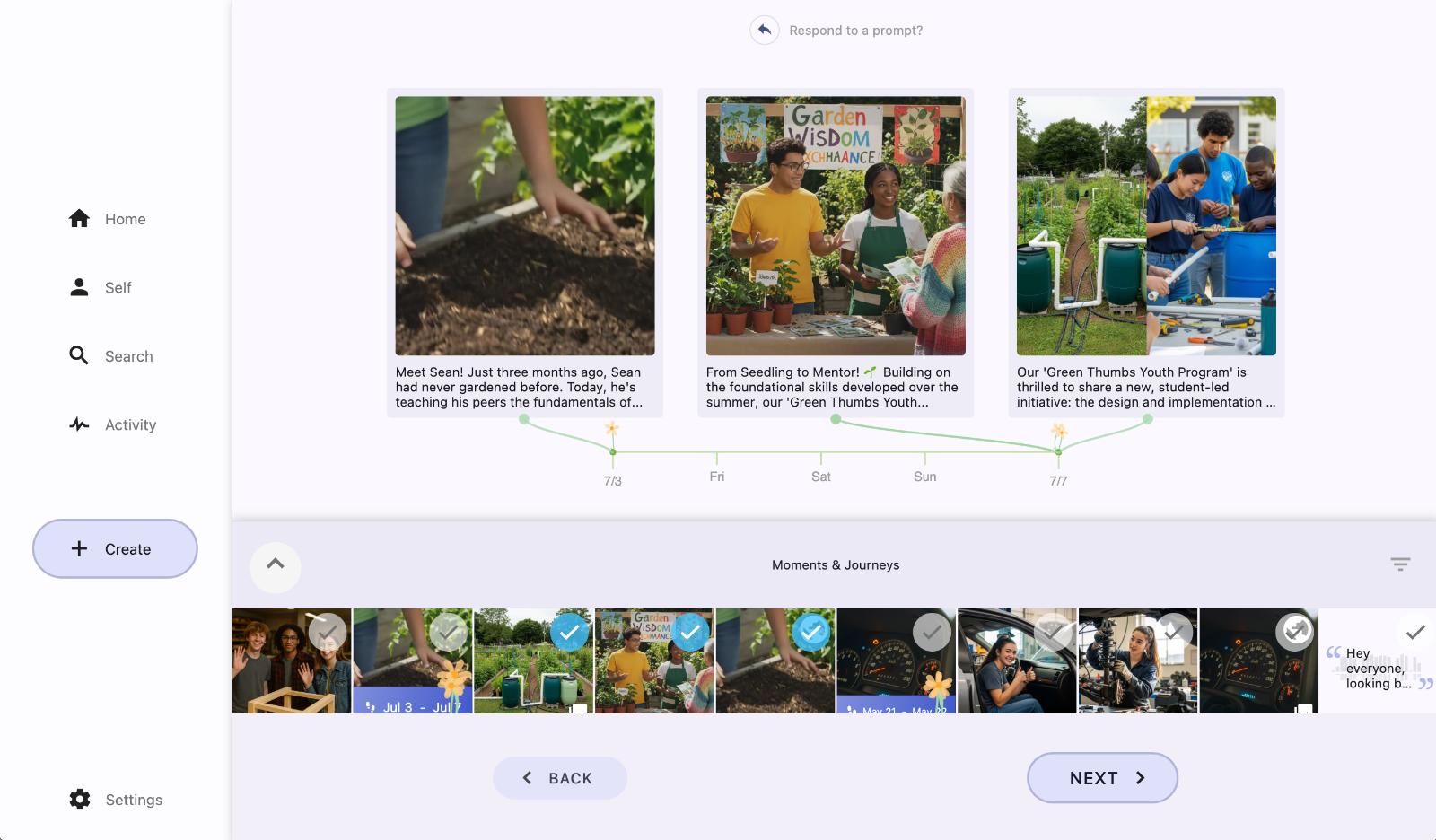
Choose learning Moments from your collection that help tell a story of learning.
Use the Filter (upside down triangle icon) to filter your Moments by COGS if you need help finding relevant posts.
Choose relevant COGS, write a caption, and share with the appropriate groups, similar to the process of creating a Moment post. (See How to Create a Post in Unrulr)
Complete the learning journey by tapping ‘Post’.
For more info on learning Journeys, see What is Journey in Unrulr?