
Unrulr’s new Review "Inbox” feature streamlines how teachers can review and evaluate student responses to prompts.
Note: This feature is currently in beta and must be enabled in group settings before use.
Enabling the Review Box Feature
By default, the review box feature is disabled. To enable it for a group:
Navigate to the Admin Dashboard.
Select the group where you want to enable the Review Box.
In Group Settings, find the option for Response -> Review -> Resubmit (beta).
Toggle it on to activate the feature (for only that group).
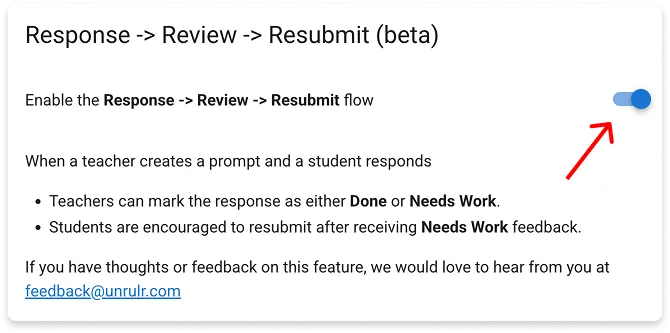
Once enabled, teachers in that group will be able to access the review box and evaluate student responses.
Accessing the Review Box
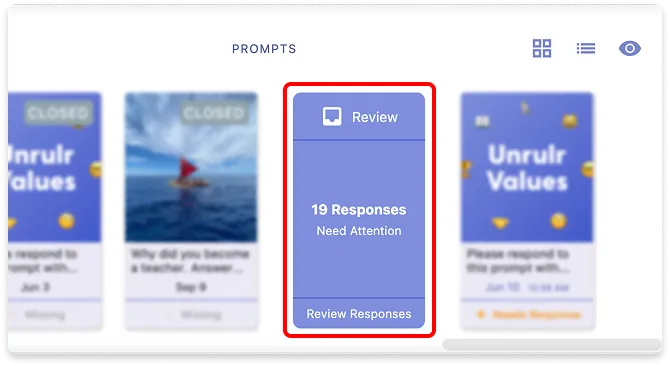
You can find the new Review Box feature in the Prompt Bar. This view allows you to quickly see student responses that need evaluation.
Evaluating Student Responses
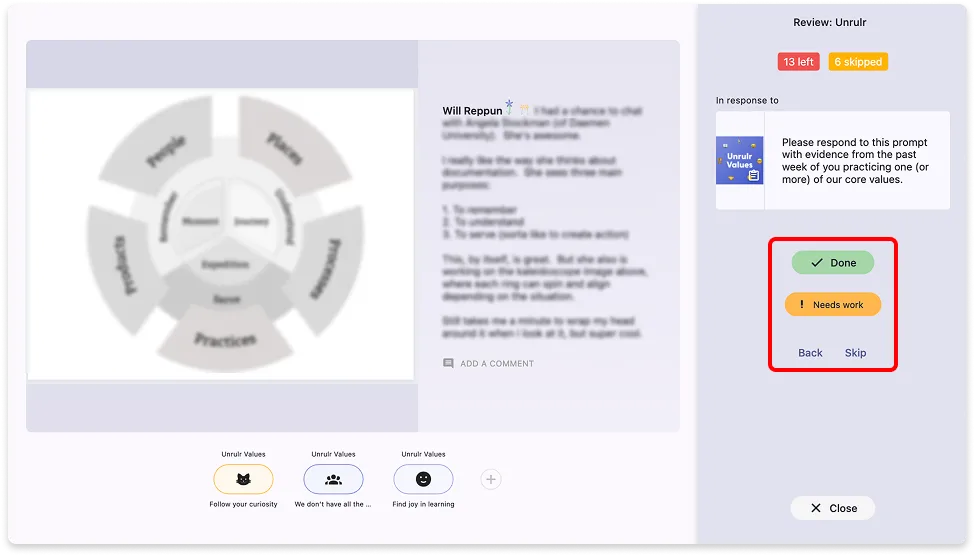
When reviewing a student’s response, you have a few options:
1. Mark as Done
The response is considered complete.
The student will see their submission marked as finished.
2. Mark as Needs Work
The response is returned to the student for revision.
The student has the option to resubmit after making improvements (if the prompt is still open).
(Optional, but recommended) You can provide feedback through a private comment to guide the student on how to improve their response.
3. Skip and come back later
Where Can You Evaluate Responses?
Student responses can be evaluated in multiple locations:
Review Box (prompt bar)
Feeds (evaluate directly in the main/group/individual feed)
Prompt Grid View (bulk evaluation)
Understanding Status Indicators in the Grid
The Grid provides a color-coded system to track student submissions:
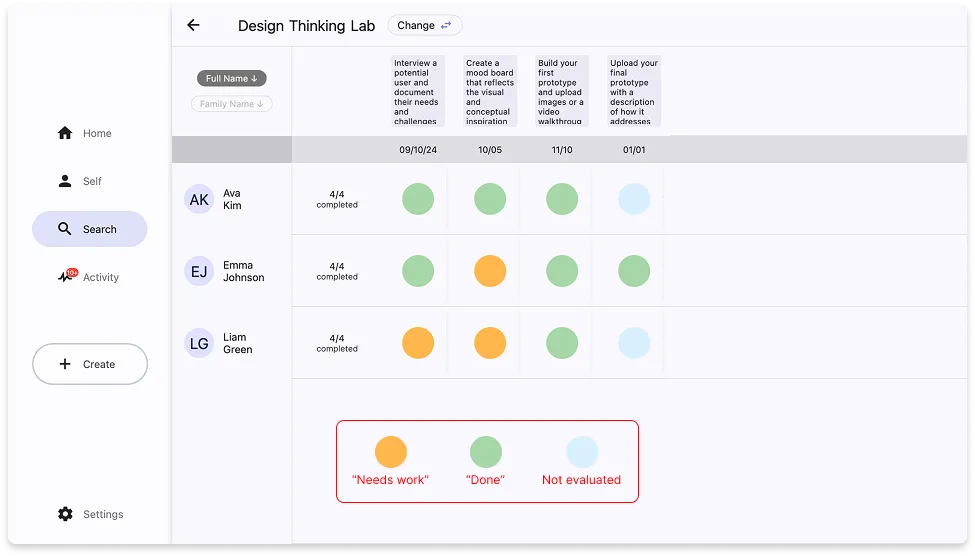
Empty red circle → No submission
Blue circle → Response submitted but not yet evaluated
Green circle → Response marked as “Done”
Orange circle → Response marked as “Needs Work”
With this new feature, we're hoping it's easier to keep track of student submissions and provide meaningful feedback.