How to Moderate Portfolios on Web
Step 1: Navigate to the portfolio you want to moderate.
Step 2: Hover your mouse over the header of the portfolio.
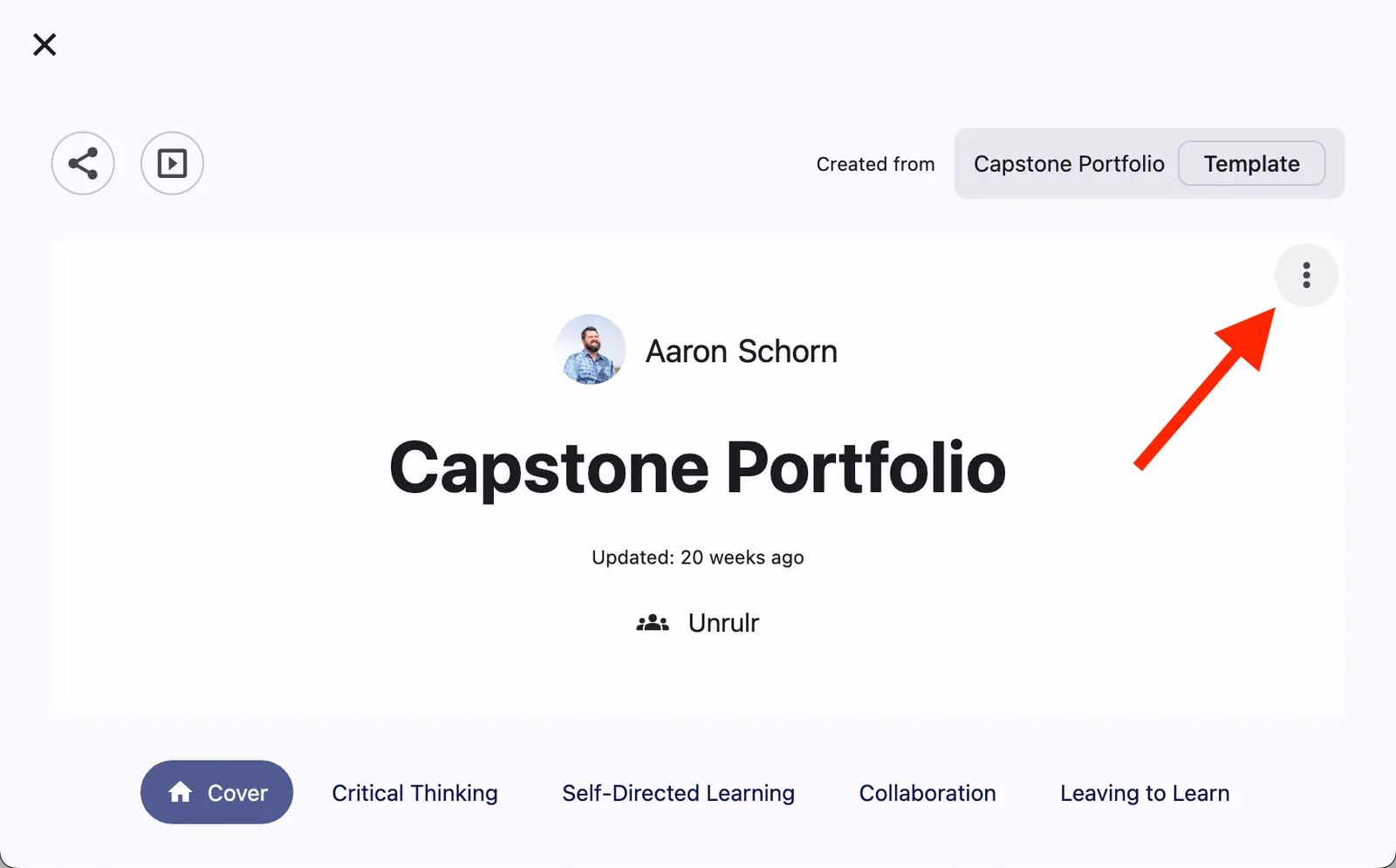
Step 3: Click the 3-dot menu that appears.
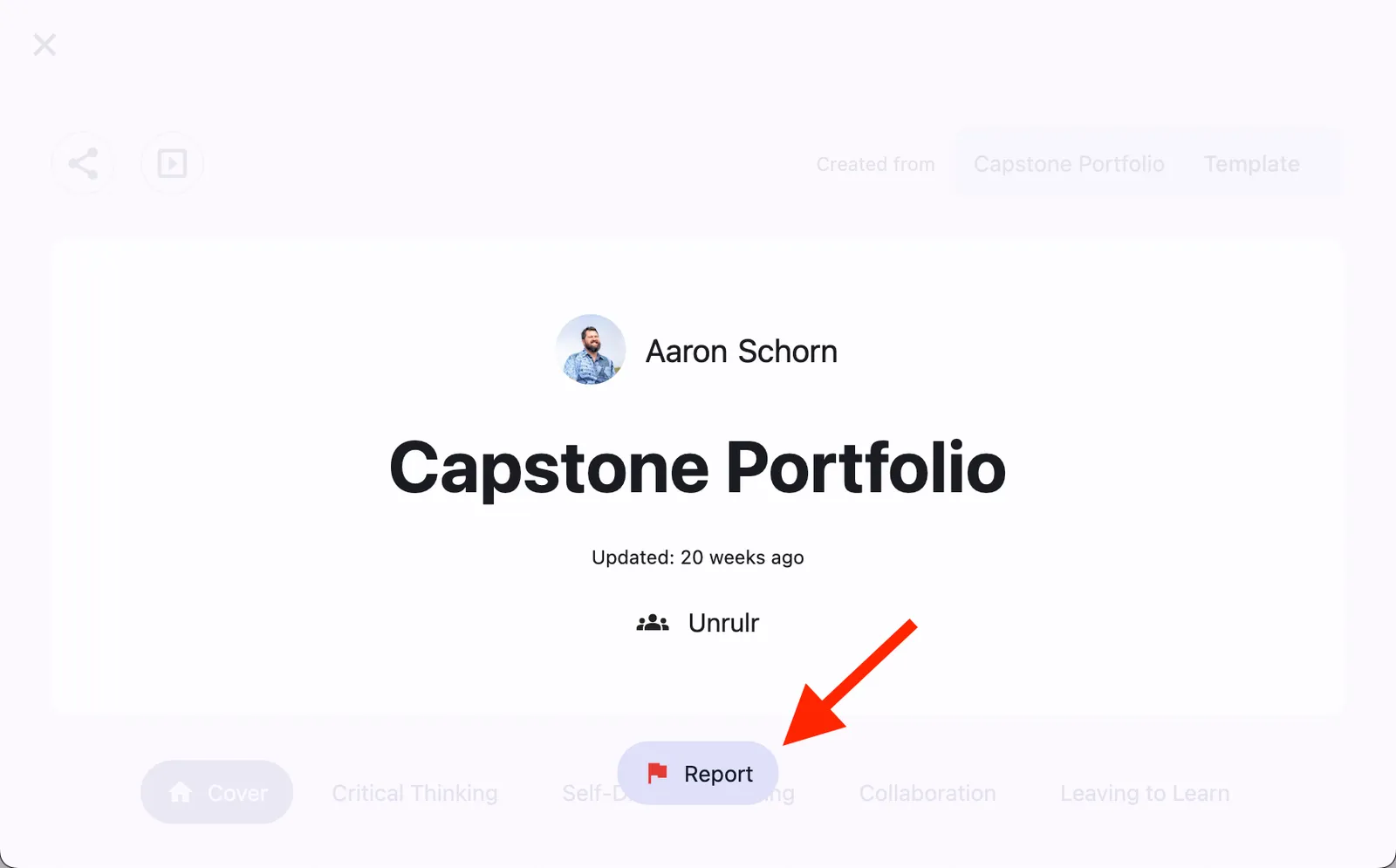
Step 4: Click the 'Report' button.
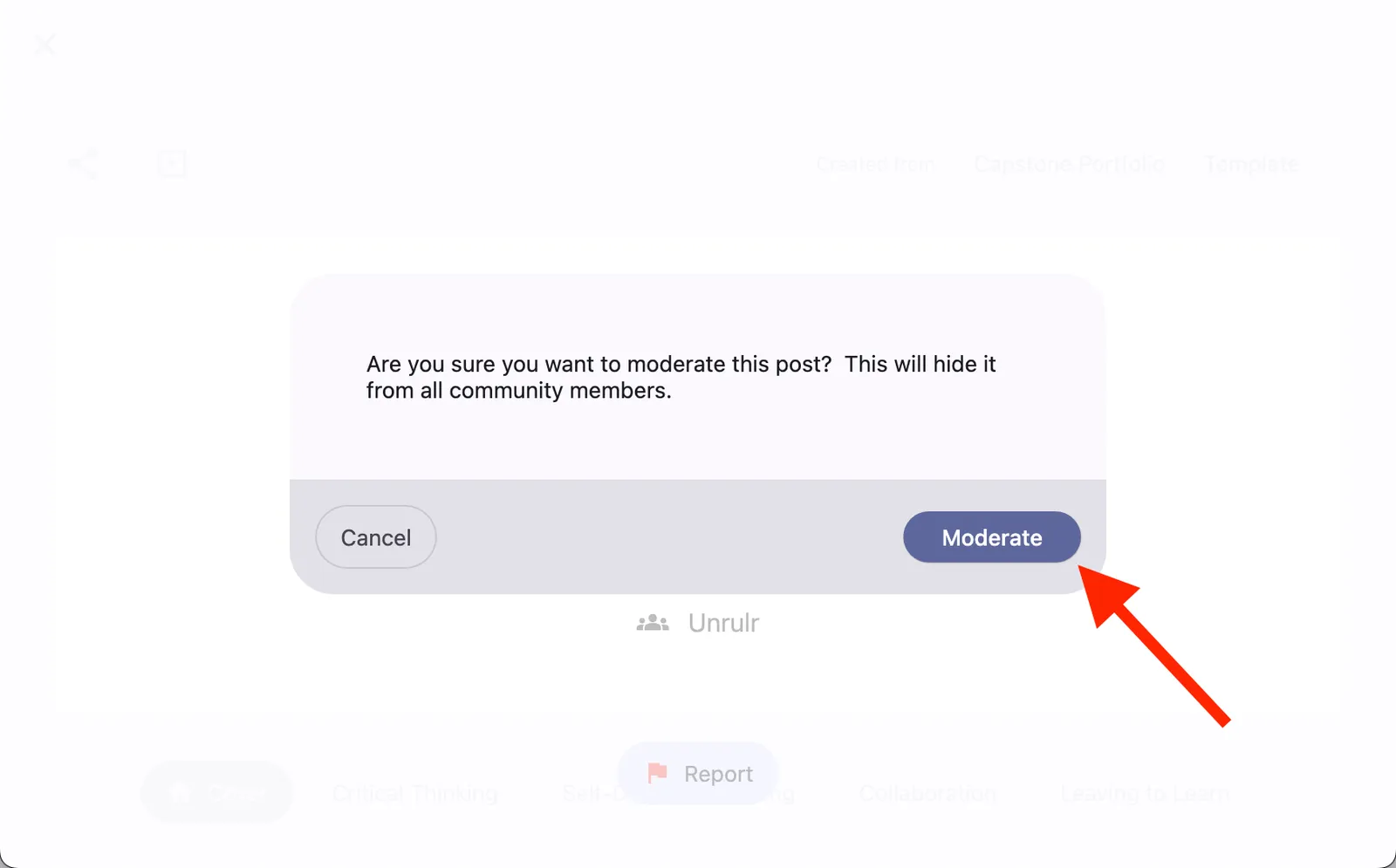
Step 5: Confirm by clicking "Moderate".
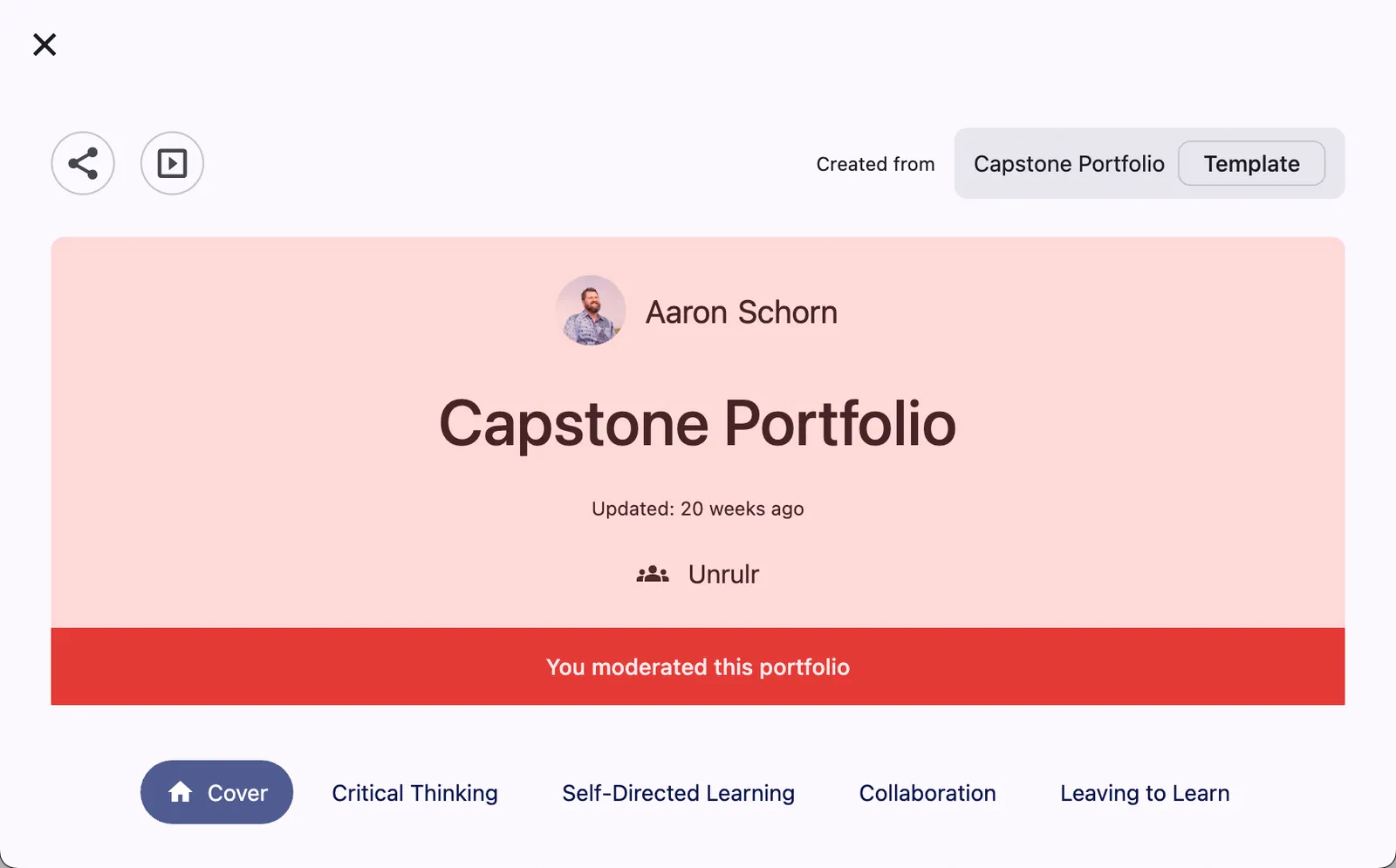
The portfolio will now be moderated and hidden from all community members, indicated by the red banner.
How to Moderate Portfolios on Mobile
Step 1: Navigate to the portfolio you want to moderate.
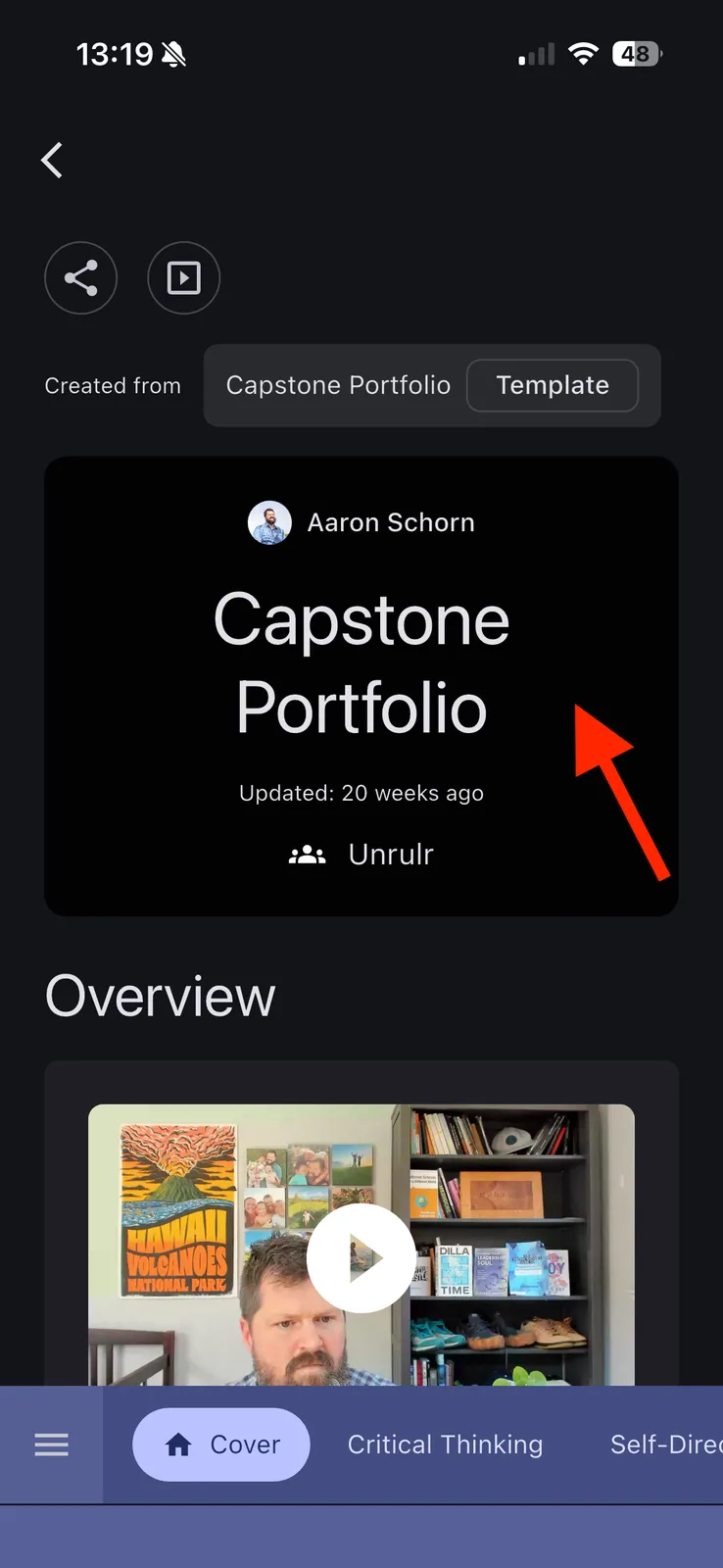
Step 2: Tap and long-press on the header.
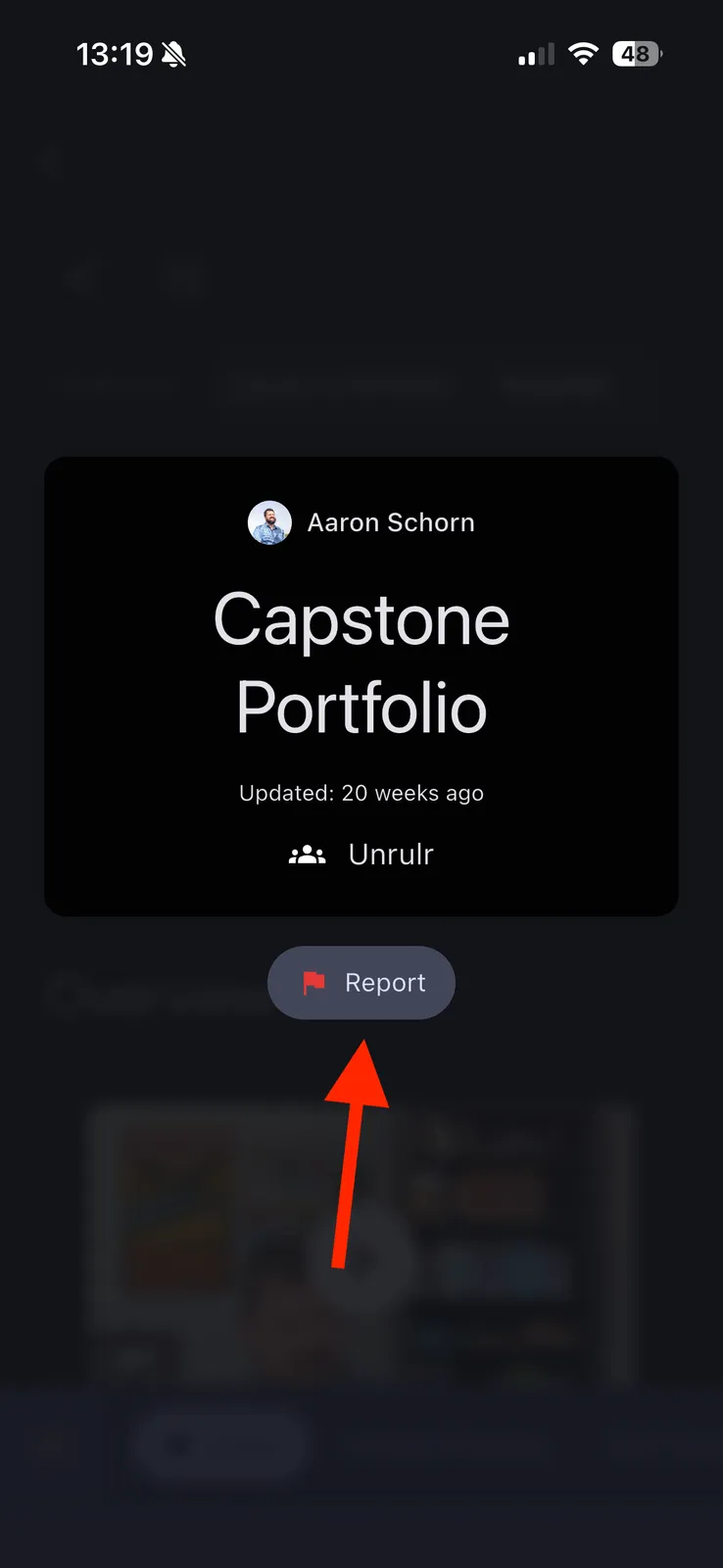
Step 3: Tap the 'Report' button.
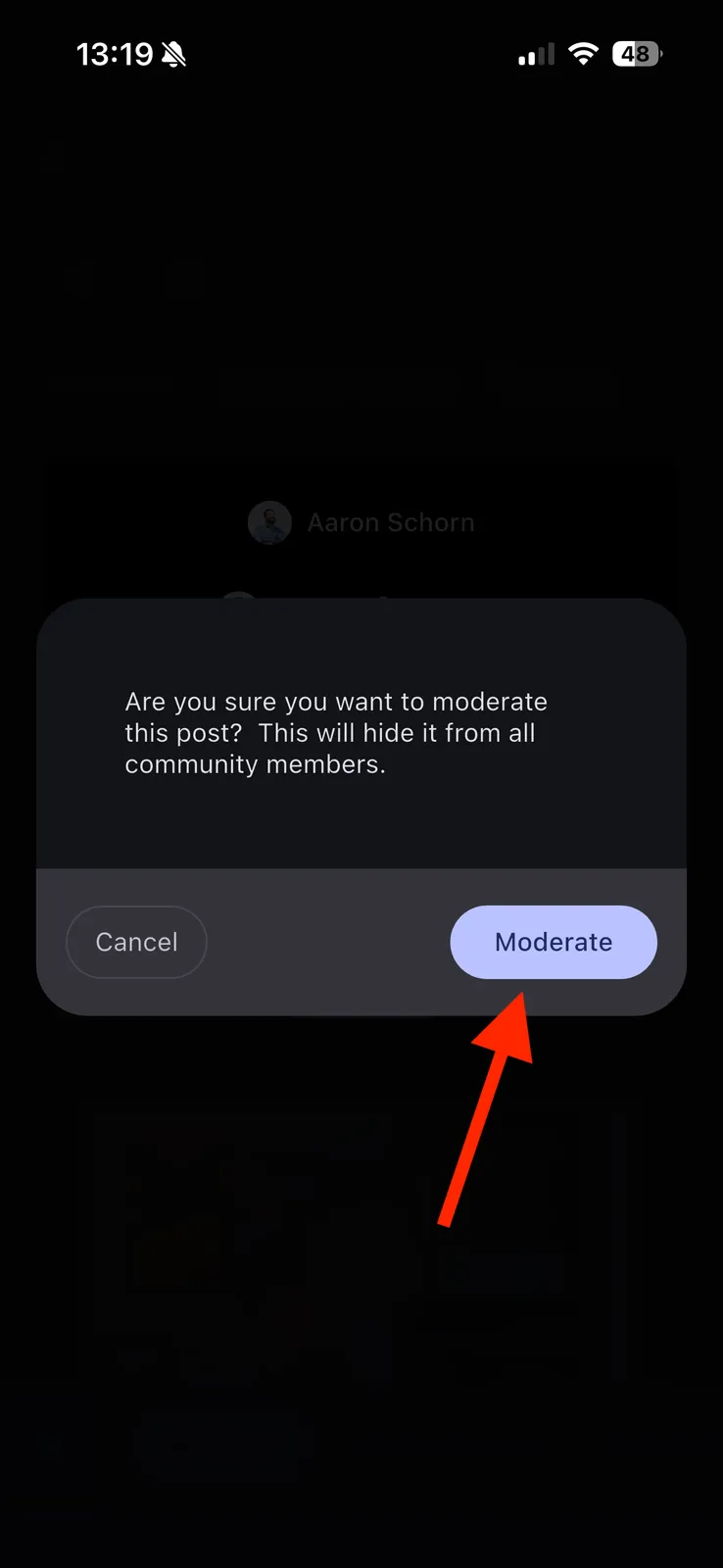
Step 4: Confirm by tapping "Moderate".
The portfolio will now be moderated and hidden from all community members, indicated by the red banner.
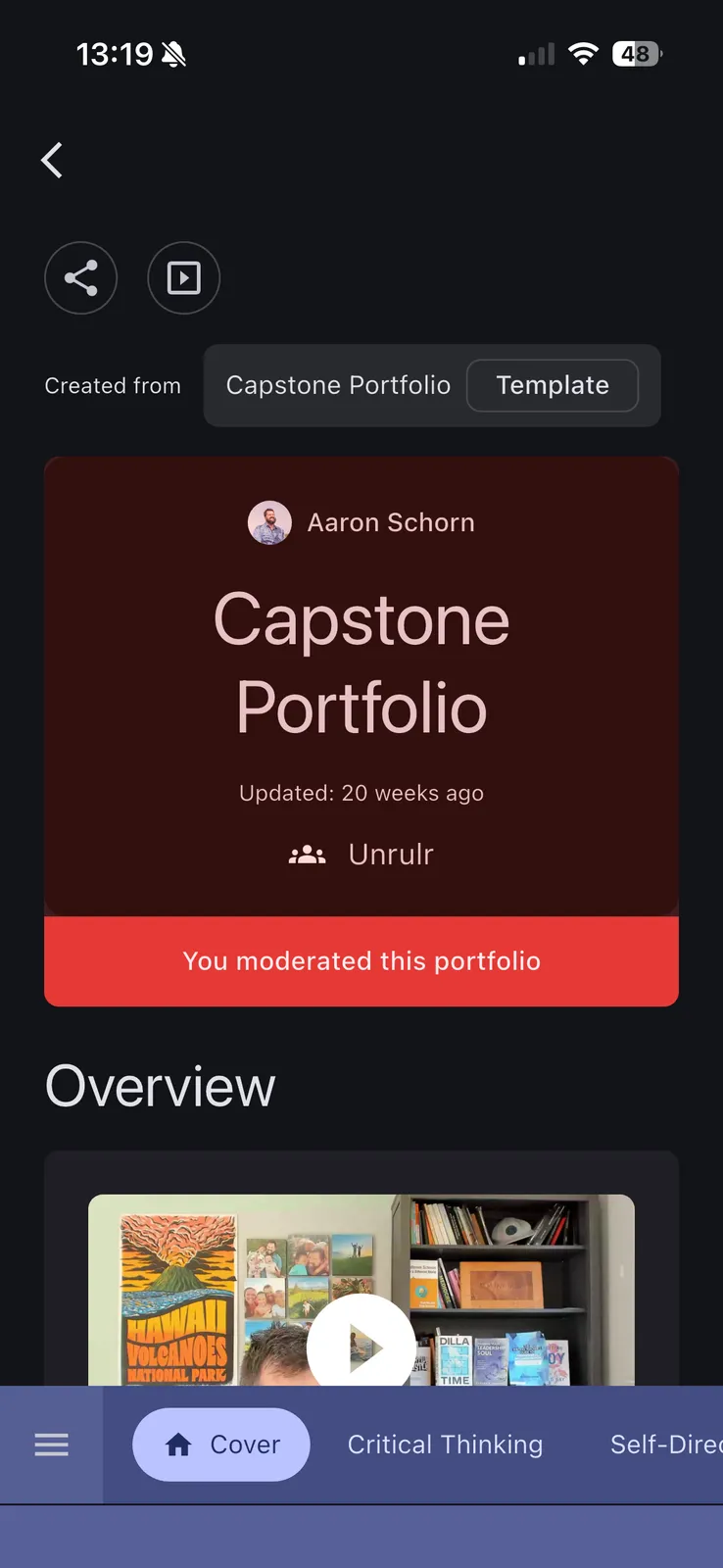
How to Un-Moderate a Portfolio
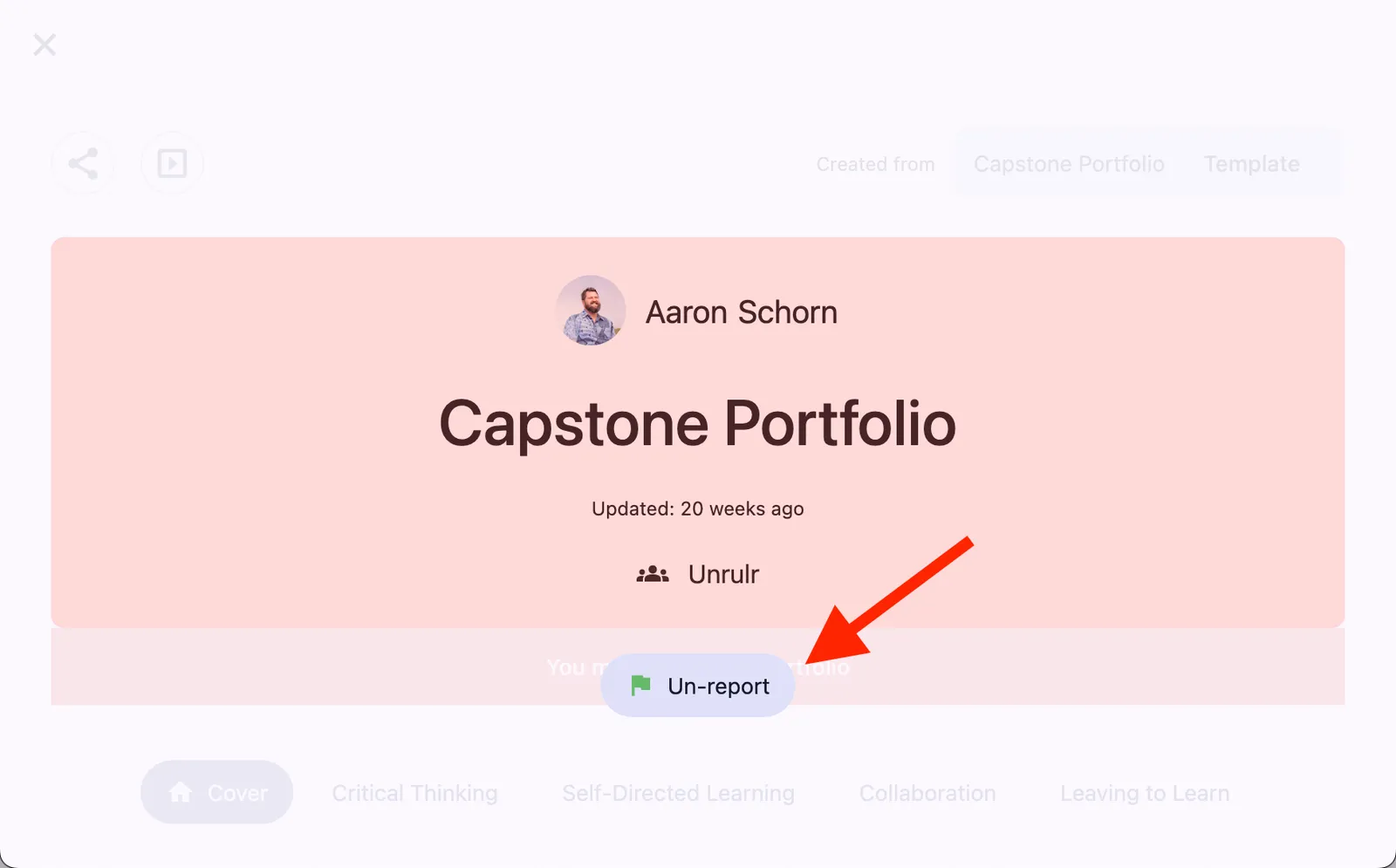
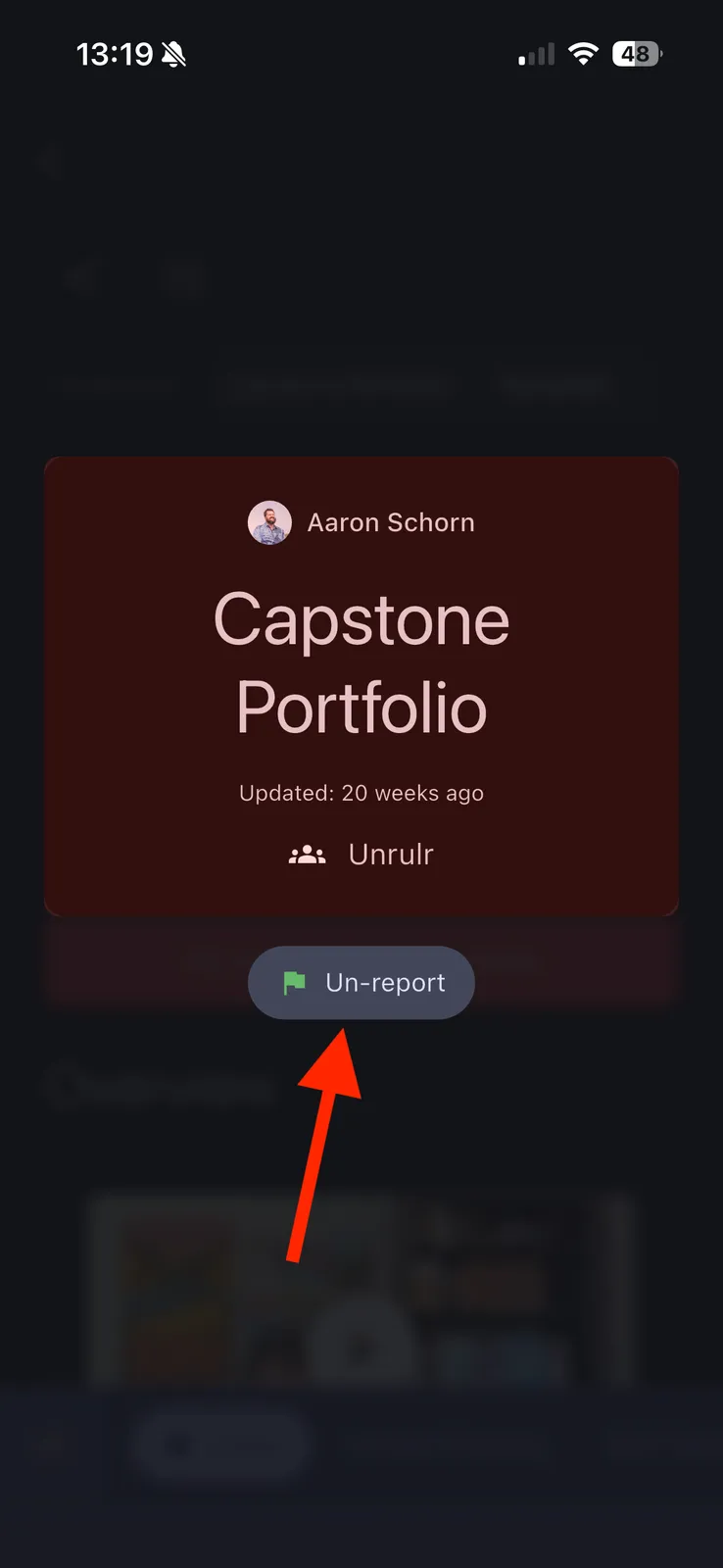
Follow the same steps as above, but tap/click "Un-report".
Web:
Mobile:
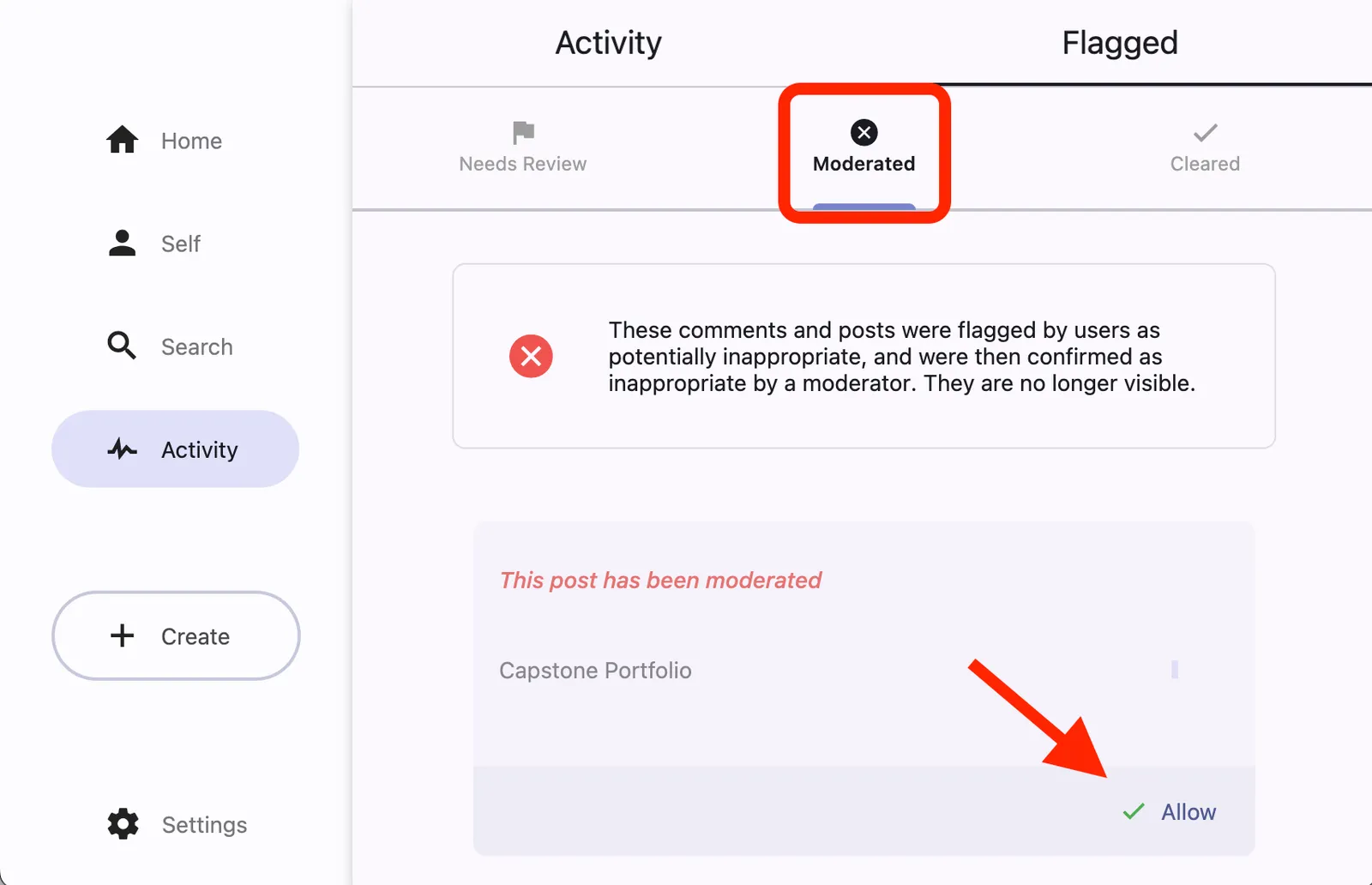
Visit the Moderated tab in the Flagged section of the Activity Feed to view all reported and moderated portfolios. From there, you can also un-moderate portfolios.