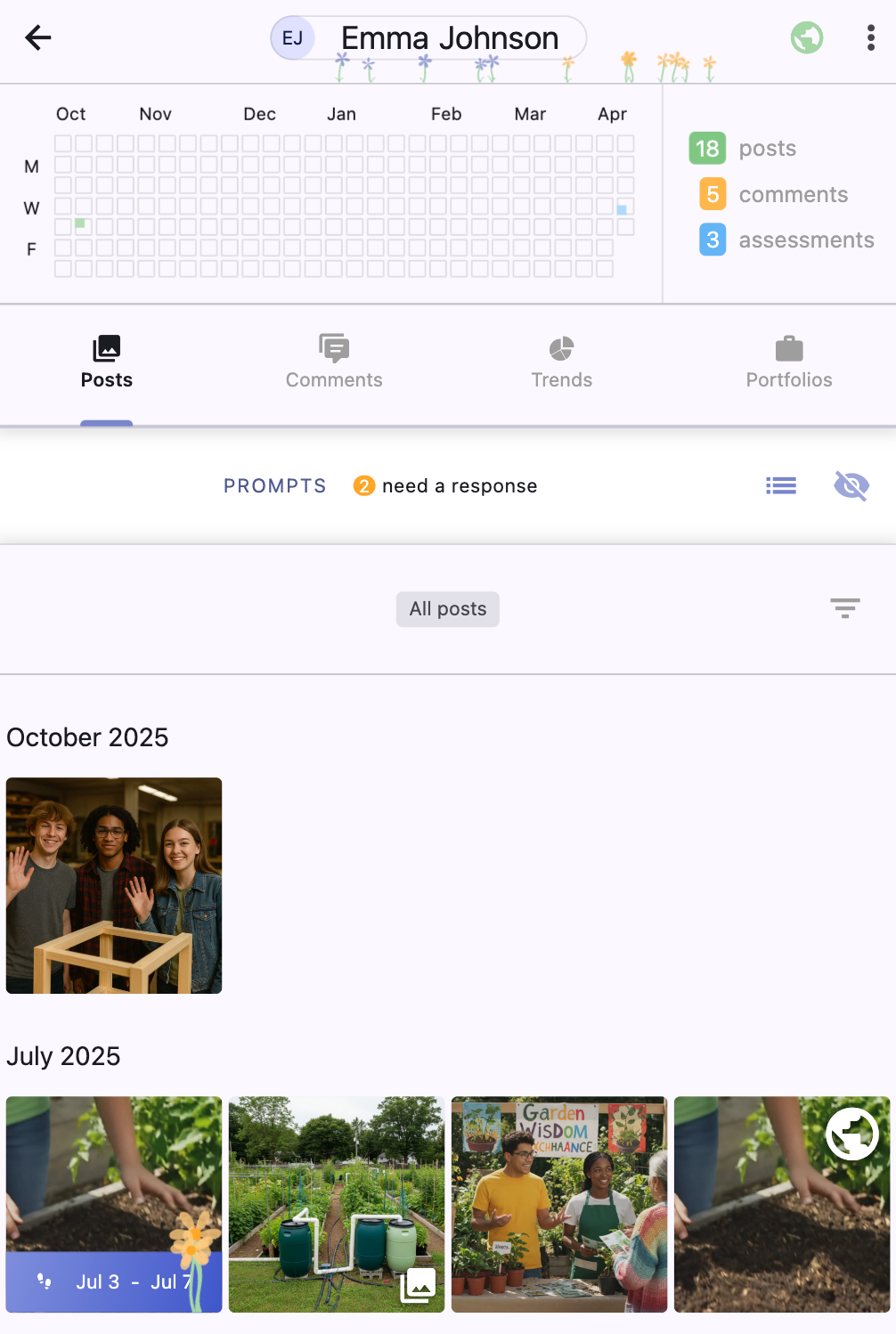
Each student has a profile page that contains:
a calendar of their activity.
the prompts assigned to them.
their posts (Moments & Journeys).
their portfolios.
the comments they've written on posts.
their progress on COGS (trends).
To navigate to a student's profile page:
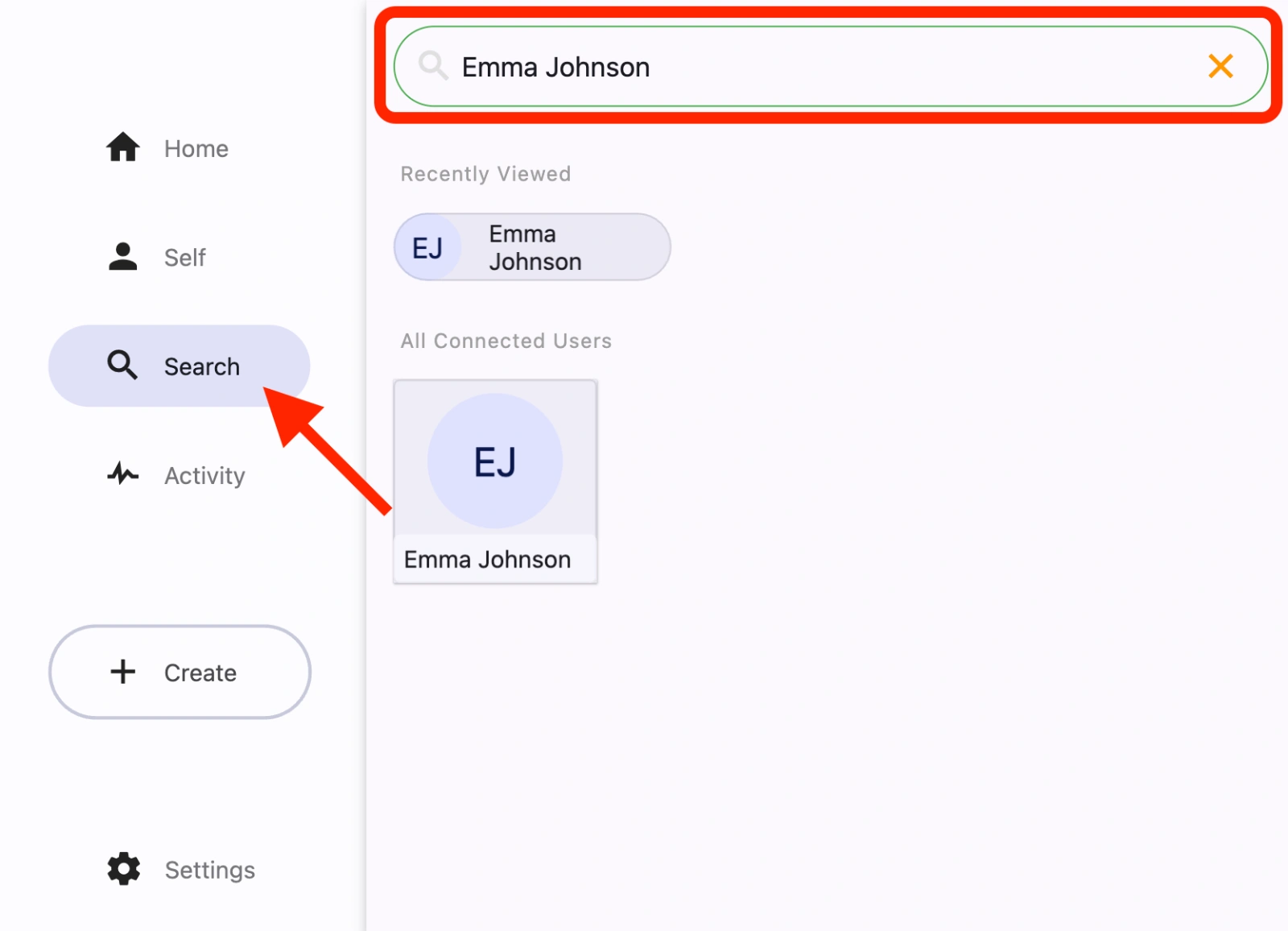
Tap on the Search tab (magnifying glass icon).
Enter the student's name.
Select the student.
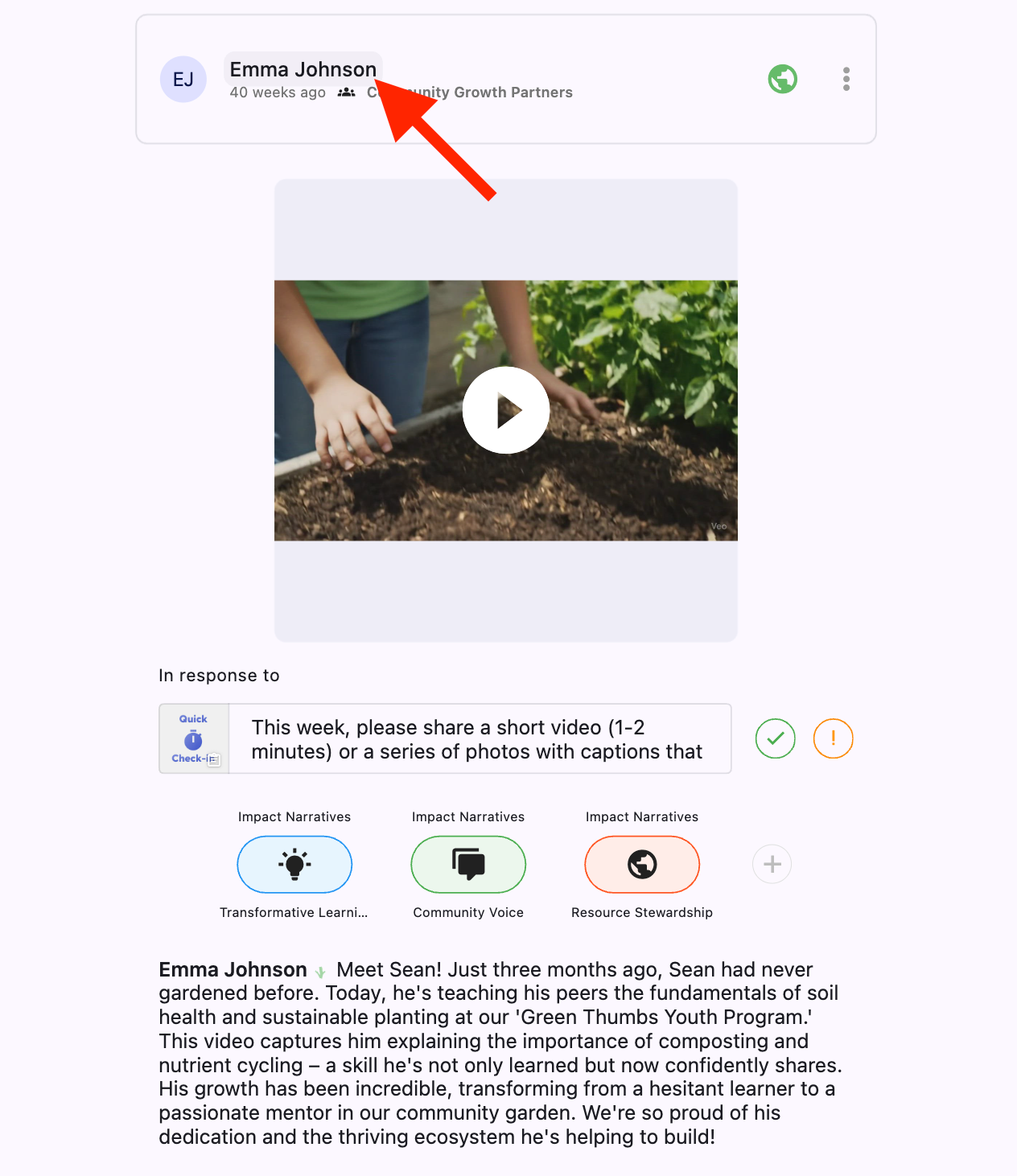
You can also navigate to the profile page by tapping their name in the post header on any posts by that student.