
In this article, we will explain how to add an existing set of COGS to a Group in Unrulr (the COGS set must already exist in the Organization). To learn how to create a new COGS set, see How to Create New COGS.
Note: only teachers/group organizers can add cogs to a group.
How to add COGS:
Sign into the Admin Dashboard.
Navigate to the target group in the admin panel by clicking the Groups button at the top of the page, and then click the target group in the list.
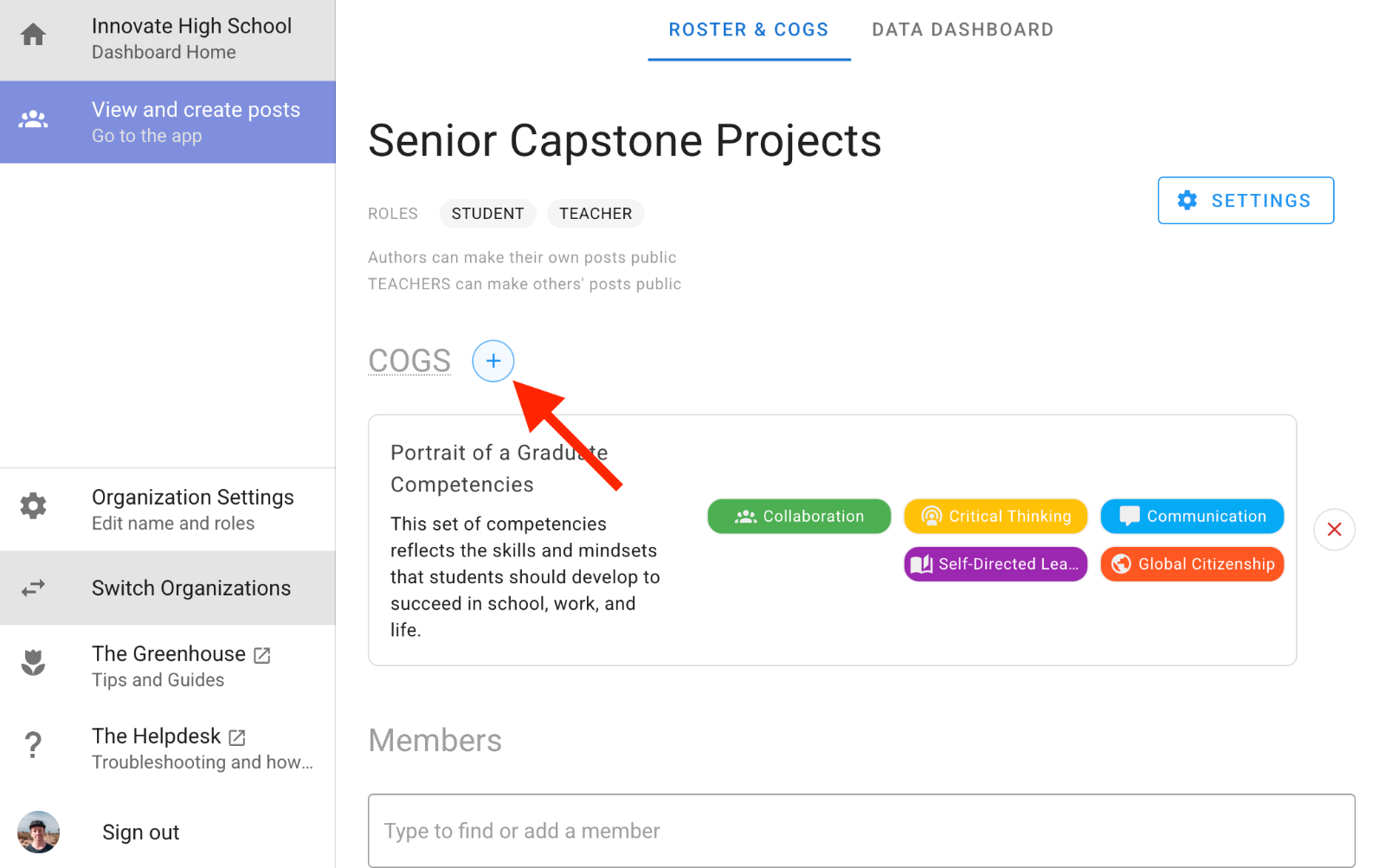
Click the ‘+’ button next to ‘COGS’.
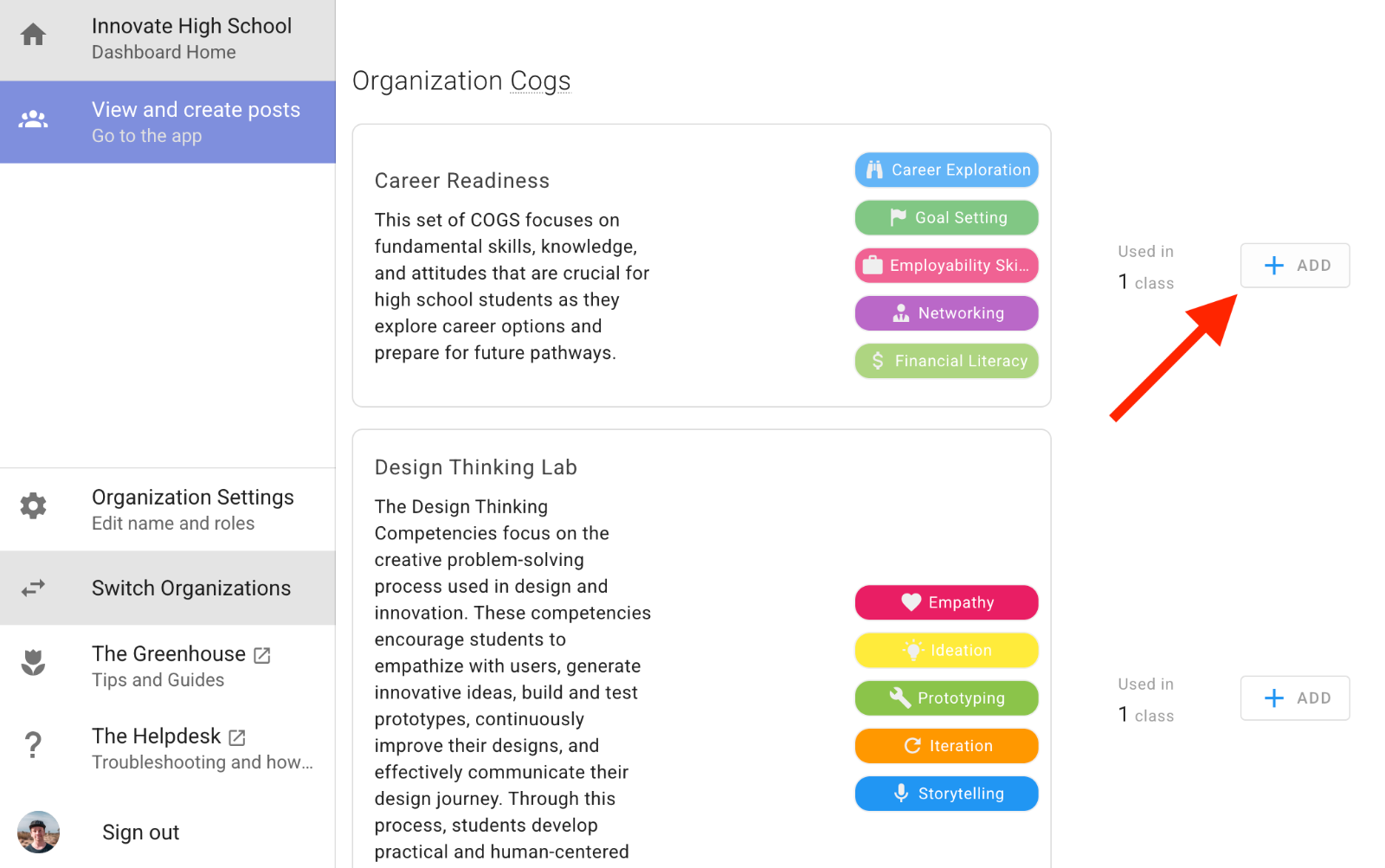
Click the ‘+ ADD’ button next to the COGS set you'd like to add to the group.
How to remove COGS:
On the group detail page, click the red ‘X REMOVE’ button next to the COGS set you want to remove.
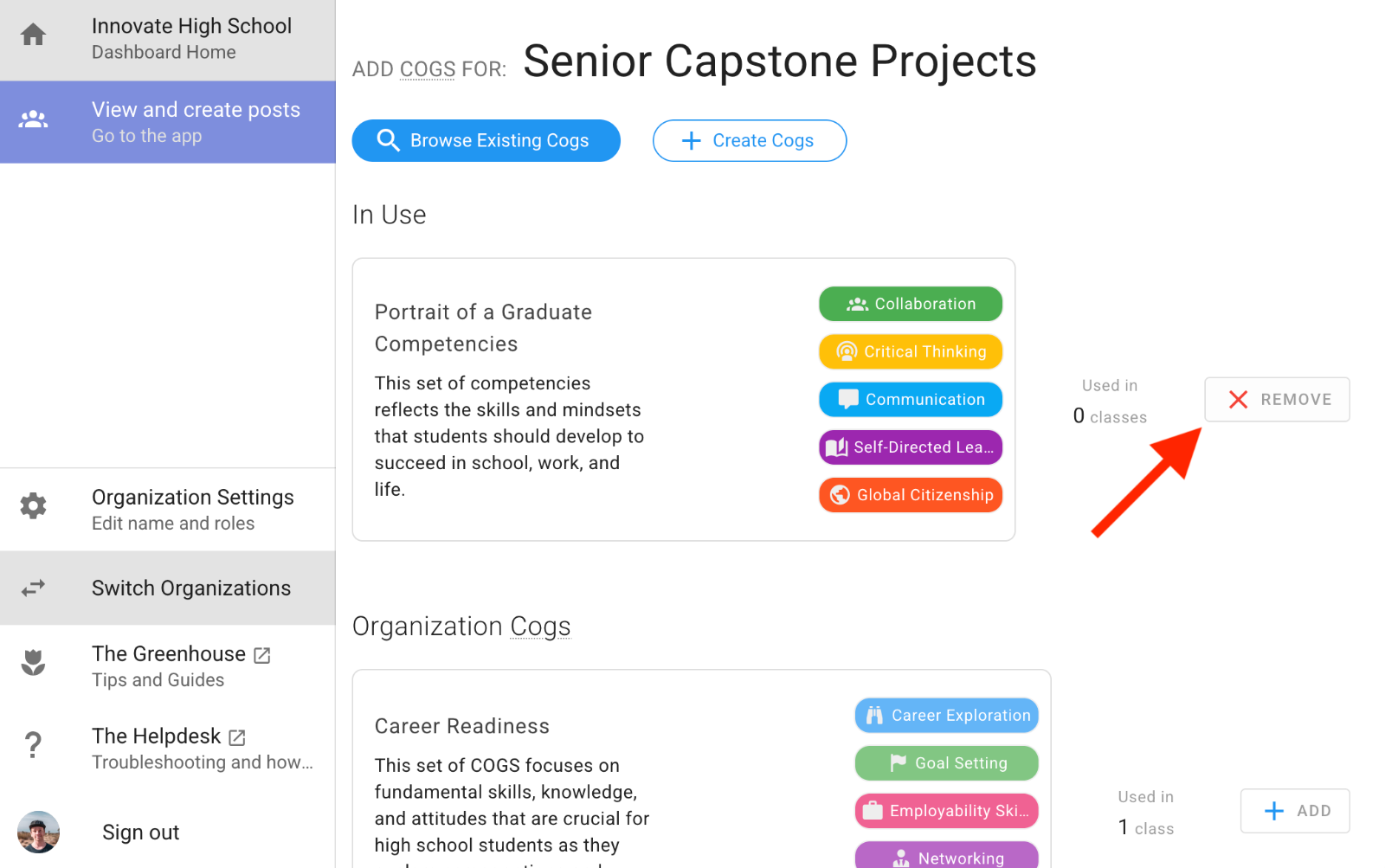
Note: Any posts shared in the group that are already tagged with these COGS will remain unchanged.