
Want students to share their work with teachers/adults, but not with classmates? You can turn on a group setting that limits students to sharing with Teachers Only. This applies to Moments, Journeys, and Portfolios.
When to use it
Easing students into sharing. Start with student-to-teacher sharing for students who are new to Unrulr (or social platforms in general), then open up peer sharing once they’re ready.
Groups that need more adult oversight. Use it for students who aren’t ready to share with classmates yet.
Sensitive or personal work. Use it for groups where students post things only teachers should see, (like sensitive documents).
How to turn on Teachers Only sharing
Open the admin dashboard.
Select the group you want to update.
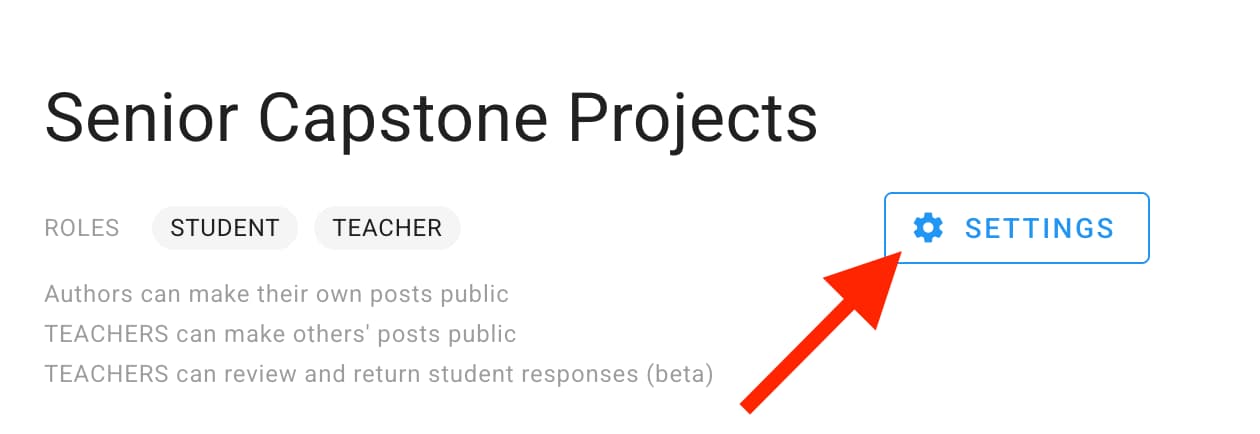
Click Settings.
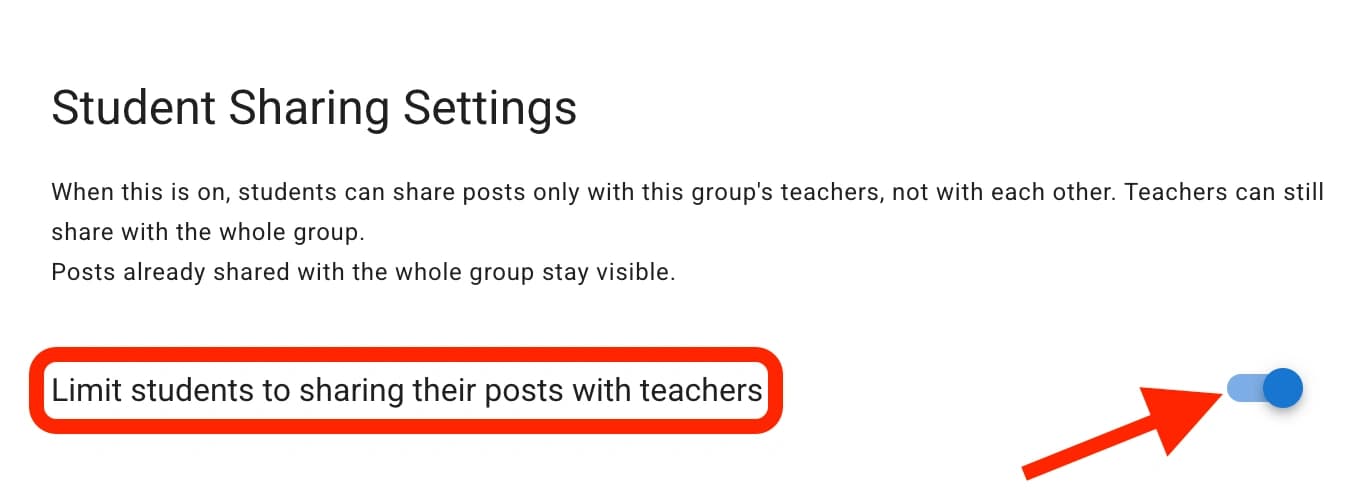
Turn on Limit students to sharing their posts with teachers.
Click Save.
What changes for students
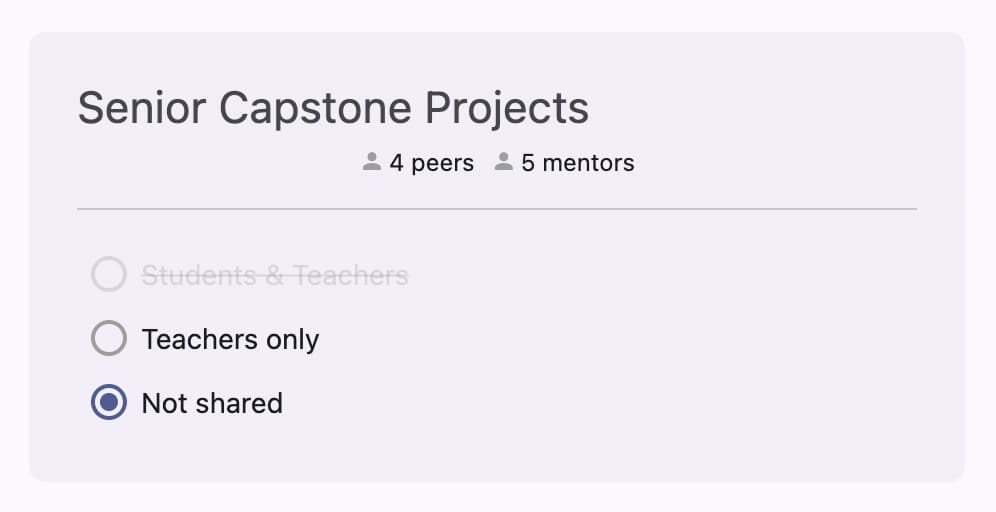
When students reach the sharing step on a post, the Students & Teachers option will be grayed out, so they can only share with Teachers Only.
Teachers aren’t affected. You can still share posts with Students & Teachers.
Turning peer sharing back on
You can turn this setting off anytime by following the same steps. Students can then share new posts with Students & Teachers. Earlier posts won’t update on their own, but students can edit them to change who they’re shared with.